Running Qwen3.5-0.8B on an Orange Pi 3B with llama.cpp
A bit of context
I had wanted to run a local AI model on this board for quite a while. At one point I even imagined getting DeepSeek-r1-1.5B to run through the NPU, but after a round of tinkering it became clear that this was not really practical. Even if all the pieces were forced together like they had been glued into something resembling a finished setup, the result was still just a pile of errors.
So I gave up on that idea for a while. Later, while messing around with a second-hand machine I had picked up, I noticed that Qwen had open-sourced the newer Qwen3.5-0.8B model. That made me want to try again, this time on the Orange Pi 3B with llama.cpp.
Installing the required dependencies
sudo apt-get update && sudo apt-get upgrade -y
sudo apt install -y \
  build-essential cmake ninja-build git \
  python3-venv python3-pip \
  libopenblas-dev libblas-dev \
  pkg-config
Cloning the latest mainline llama.cpp
git clone https://github.com/ggerganov/llama.cpp
cd llama.cpp
Creating the build directory, configuring, and compiling
cmake -B build -S . \
  -DCMAKE_BUILD_TYPE=Release \
  -DGGML_NATIVE=ON \
  -DGGML_NEON=ON \
  -DLLAMA_BUILD_SERVER=ON \
  -DLLAMA_OPENBLAS=OFF \
  -DGGML_VULKAN=OFF \
  -DGGML_METAL=OFF \
  -DGGML_CUDA=OFF
cmake --build build -j4 #四线程全速
Checking the build output
ls -l build/bin/llama-cli build/bin/llama-server
#应有类似输出
-rwxr-xr-x 1 orangepi orangepi  5289800 Apr  3 22:20 build/bin/llama-cli
-rwxr-xr-x 1 orangepi orangepi 10539184 Apr  3 22:22 build/bin/llama-server
Starting the server
./build/bin/llama-server \
  --m 模型路径 \
  --mmproj 投影文件路径 \ #如不需要多模态功能请删除这行参数
  -c 8192 \ #窗口上下文
  -n 8192 \ #单次输出限度
  --host 0.0.0.0 \
  --port 8080 \ #任意未占用端口
  --threads 4 \
  --threads-batch 4 \
  --jinja \
  --temp 0.7 \
  --top-p 0.95 \
  --mlock \
  --no-mmap
What the performance is actually like
Before talking about the results, it is better to get rid of any unrealistic expectations. The one doing the hallucinating should be the AI, not us. At this parameter scale, whether you call it a large model or a small model, issues like hallucination, repetition, and answering something unrelated to the question are all very common.
This setup is pure CPU inference. The Orange Pi 3B is relying on four Cortex-A55 cores here, so the performance is honestly quite limited. The point is less “this is usable” and more “yes, it can technically run.”

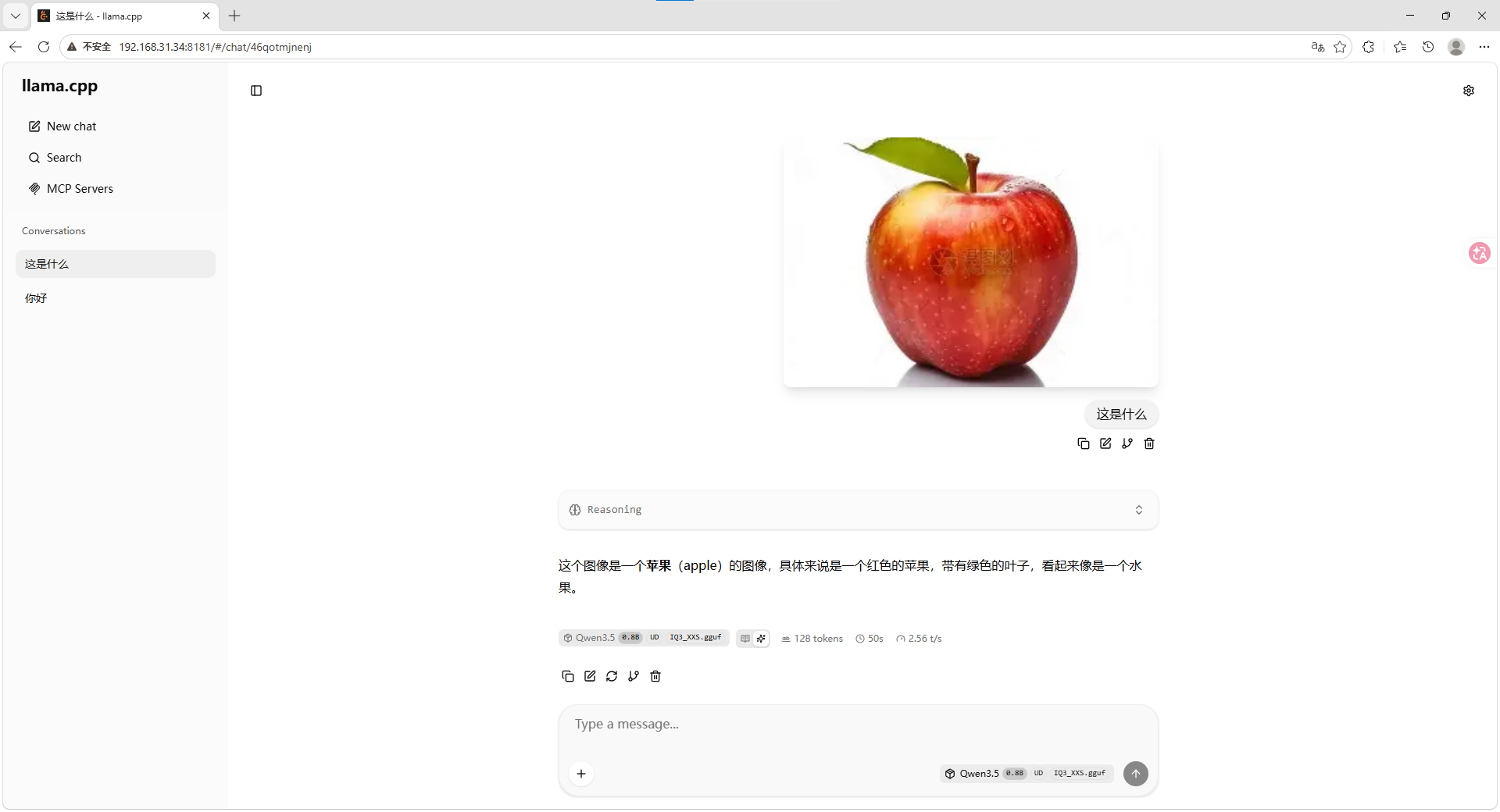
As for multimodal support, it is only good enough for simple, low-resolution images. I tried feeding it a 2K-resolution game screenshot, and it basically got stuck. I went away to eat, came back, and it still had not finished Img Dncodeing.
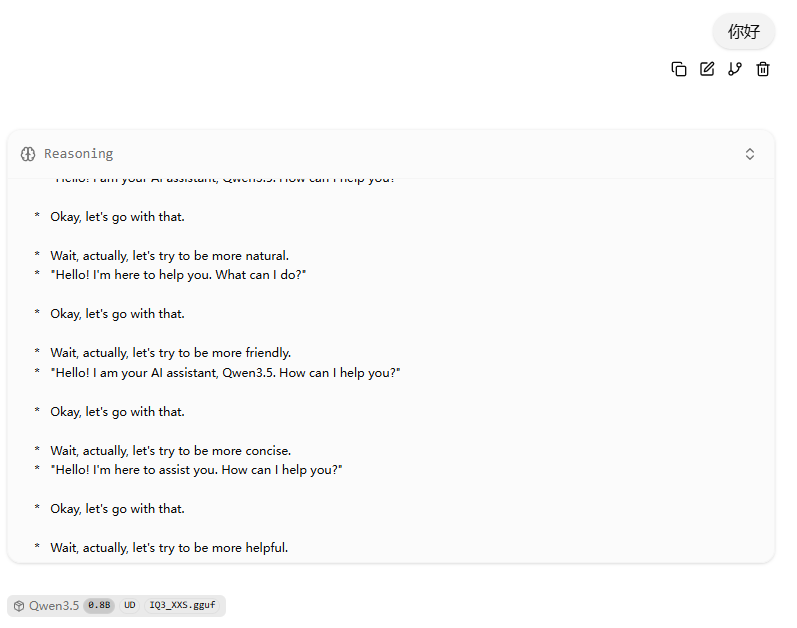
Repetition also shows up very easily.
Final thoughts
In the end, a 0.8B-parameter model is already not especially strong to begin with. To make the weak RK3566 run it as smoothly as possible, I chose the IQ3-XXS quantization, which makes an already limited model even more constrained.
If the goal is serious local deployment, it would be better to start from something like the RK3588 or above. That platform has support from the official RKNN toolchain, can make use of NPU acceleration, and also benefits from operator-level optimizations. For the RK3566, this experiment at least gives a rough idea of what running a large language model on it looks like: it runs, but that is about the main achievement.