Running an FRP Server on OpenWrt from the Command Line
Deploying an FRP server on an OpenWrt router that has a public IP makes it possible for clients in other private networks to expose selected local ports through that OpenWrt host. In practice, the client connects outward to the OpenWrt device, and FRP maps the requested port onto the router’s public address.
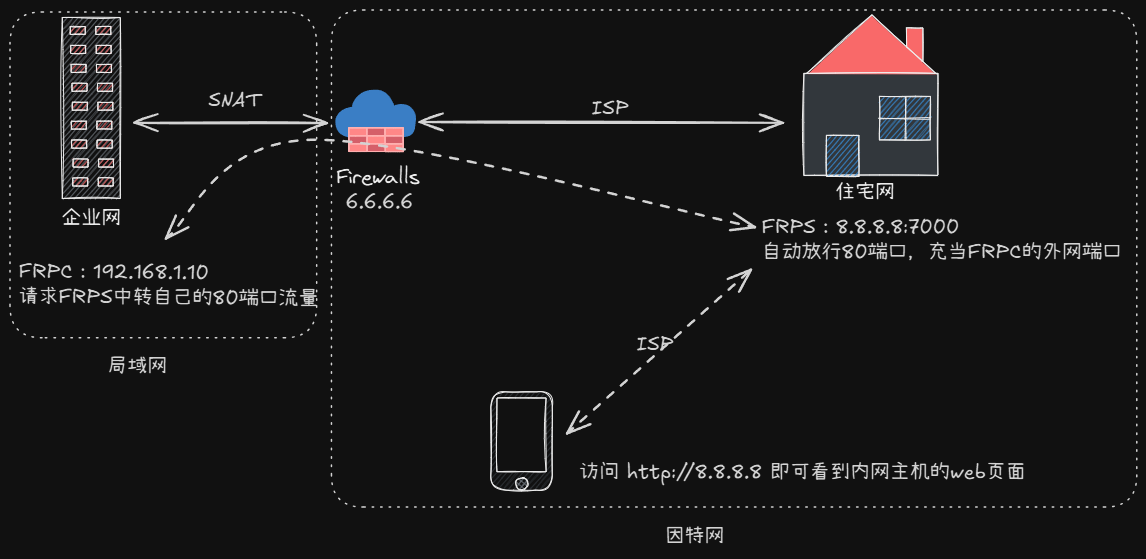
How FRP works on OpenWrt
FRP is split into two parts:
- FRPS: the server side
- FRPC: the client side
FRPS listens for connections from FRPC and publishes the client’s mapped port on its own public IP.
OpenWrt’s default package repository already includes FRPS, and there is also a LuCI app for it. The problem is that the packaged version is relatively old.
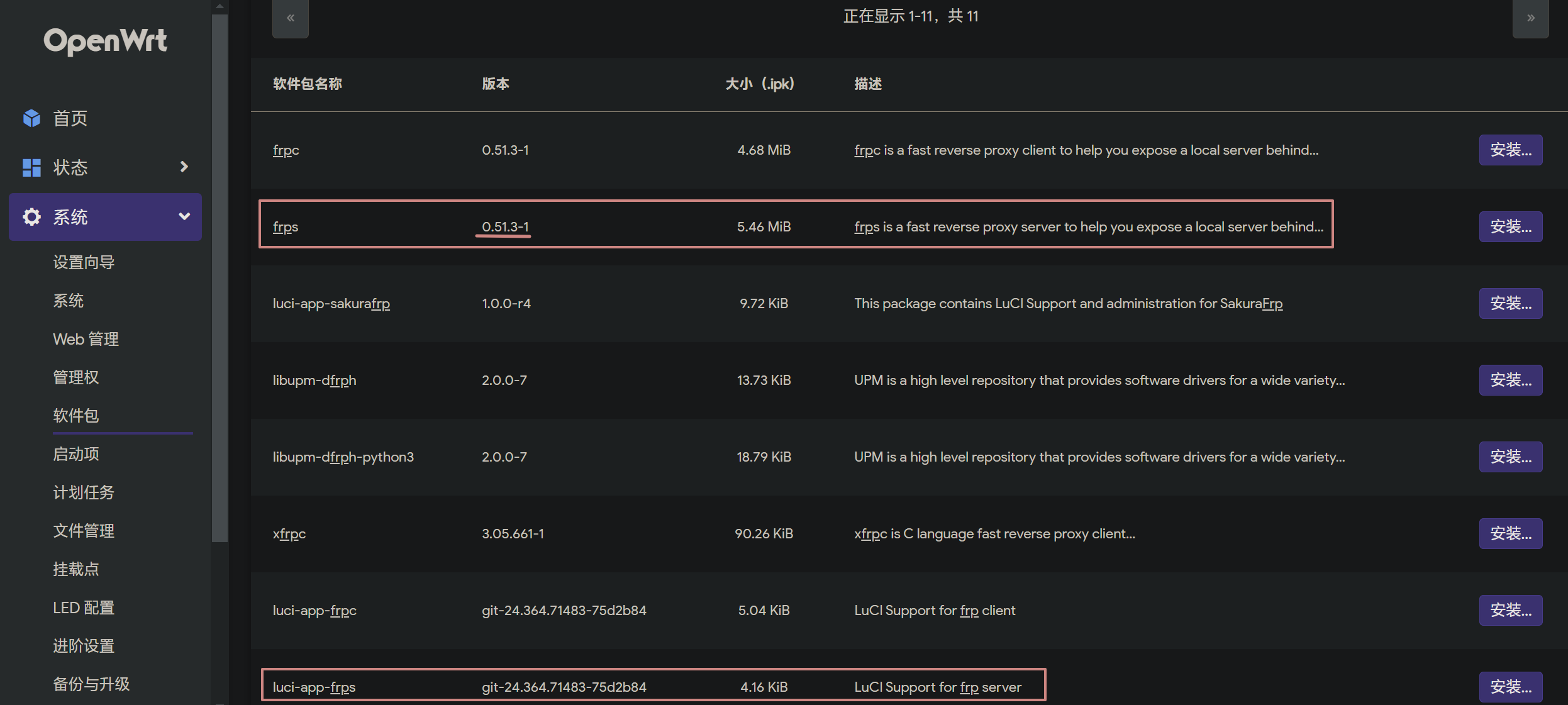
If you prefer working in the shell and want a newer release, you can install and run FRPS manually.
Installing and configuring FRPS
First, download FRPS and prepare the runtime directory:
opkg update # 更新软件源
opkg install wget coreutils-nohup # 安装依赖
mkdir /root/frp; cd /root/frp # 创建目录并进入
wget https://github.com/fatedier/frp/releases/download/v0.61.1/frp_0.61.1_linux_arm64.tar.gz # ARM架构下载这个
# wget https://github.com/fatedier/frp/releases/download/v0.61.1/frp_0.61.1_linux_amd64.tar.gz # X86架构下载这个
tar -xvf frp_0.61.1_linux_*.tar.gz # 解压
mv frp_0.61.1_linux_*/frps* . # 将解压后需要的文件移动到当前目录
rm -rf frp_0.61.1_linux_* # 删除不需要的文件
./frp -v # 查看版本

Then create the FRPS configuration file:
cat > /root/frp/frps.toml <<EOF
bindPort = 7000
auth.method = "token"
auth.token = "替换为你的密码"
EOF
This configuration tells FRPS to listen on port 7000 and require token-based authentication.
Example FRPC client configuration
Suppose a client needs to expose its local port 80 to the public network through the OpenWrt server. The corresponding FRPC configuration would be:
serverAddr = "OpenWrt的公网IP或者DDNS域名"
serverPort = 7000
auth.method = "token"
auth.token = "替换为你的密码"

[[proxies]]
name = "HTTP-80"
type = "tcp"
localIP = "127.0.0.1"
localPort = 80 # 需要映射的本机端口
remotePort = 8080 # 映射到OpenWRT的端口
In this example, the client’s local web service on port 80 becomes reachable through port 8080 on the OpenWrt device.
For more complete configuration examples, the recommended reference is the official FRP config template:
https://github.com/fatedier/frp/tree/184223cb2f240b844f90b3390645672d2225da88/conf
Creating an init script on OpenWrt
To keep FRPS manageable like a regular OpenWrt service, create an init script.
Reference: https://openwrt.org/docs/techref/initscripts
cat > /etc/init.d/frps <<EOF
#!/bin/sh /etc/rc.common
START=99
start(){
    nohup /root/frp/frps -c /root/frp/frps.toml > /root/frp/frps.log 2>&1 &
}
stop(){
    kill -9 `ps | grep "/root/frp/frps -c /root/frp/frps.toml" | grep -v "grep" | awk '{print $1}'`
}
restart(){
    kill -9 `ps | grep "/root/frp/frps -c /root/frp/frps.toml" | grep -v "grep" | awk '{print $1}'`
    nohup /root/frp/frps -c /root/frp/frps.toml > /root/frp/frps.log 2>&1 &
}
EOF
chmod +x /etc/init.d/frps
Once the script is in place, FRPS can be managed with the standard service commands:
service frps enable # 开机自启
service frps start # 启动
service frps stop # 停止
service frps restart # 重启
To watch the FRPS log in real time:
tail /root/frp/frps.log -f
Firewall rules you still need
By default, OpenWrt blocks all inbound traffic.
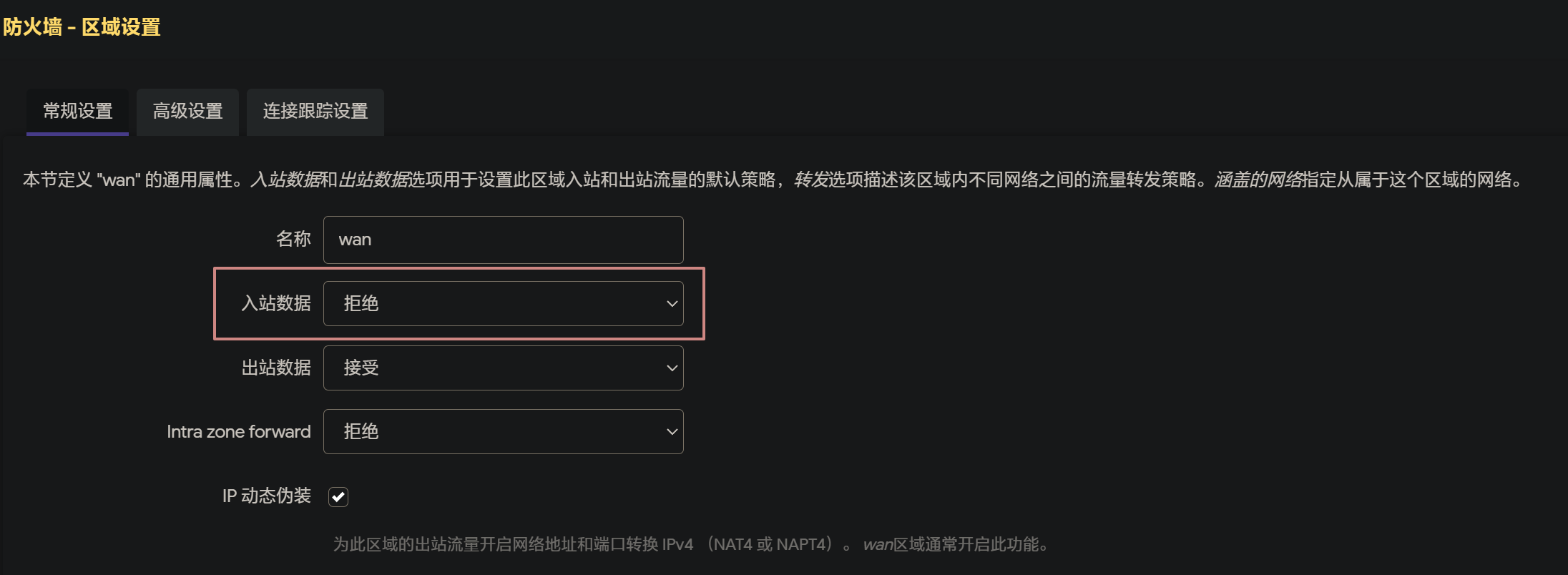
That means FRPS will not be reachable until you explicitly allow the required ports. At minimum, the client must be able to connect to the FRPS listening port 7000. Any ports you want FRPS to expose publicly also need to be forwarded or allowed in the firewall.
Open the firewall forwarding page in LuCI:
http://[OpenWrt地址]/cgi-bin/luci/admin/network/firewall/forwards
Click the Add button in the lower-left corner and create a forwarding rule:
- Name: any label you like
- External port:
7000 - Internal IP: the OpenWrt LAN address
- Internal port:
7000
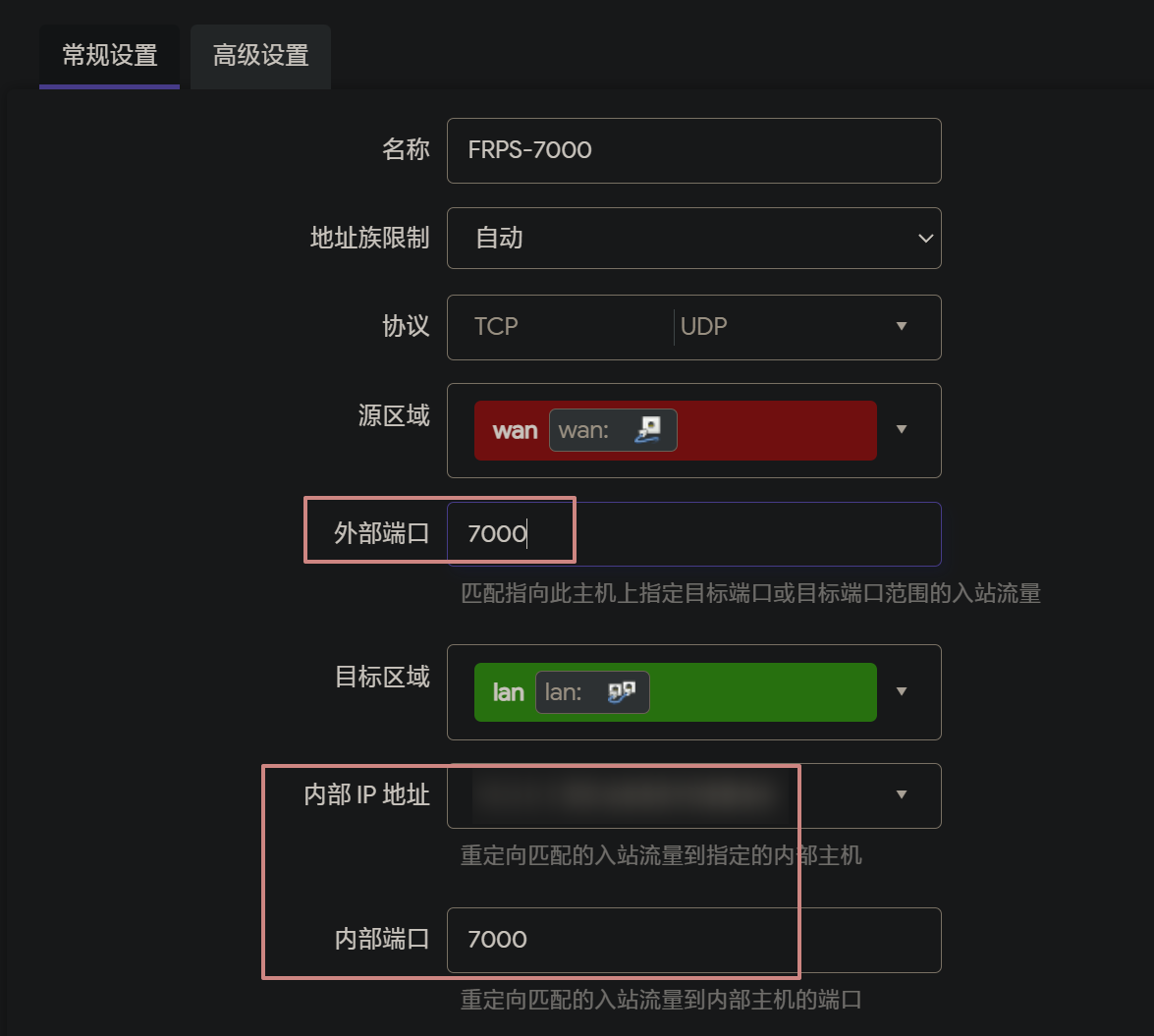
After that, click Save & Apply.
The same approach applies to the ports that FRPS will expose for client services. If a client maps a local service to a port on the OpenWrt side, that mapped port also needs to be permitted through the firewall before it can be reached from the internet.