How to Deploy a Vue Project to GitHub Pages with GitHub Actions
This setup works for Vue projects created with common toolchains such as webpack, vue-cli, or Vite. It is also fine for both Vue 2 and Vue 3.
Before you start
Your project should already be pushed to a GitHub repository. If it is still only on your local machine, create a new repository on GitHub first and push the code there.
Configure GitHub Pages in the repository
Go to your repository settings on GitHub and enable the Pages-related deployment configuration.
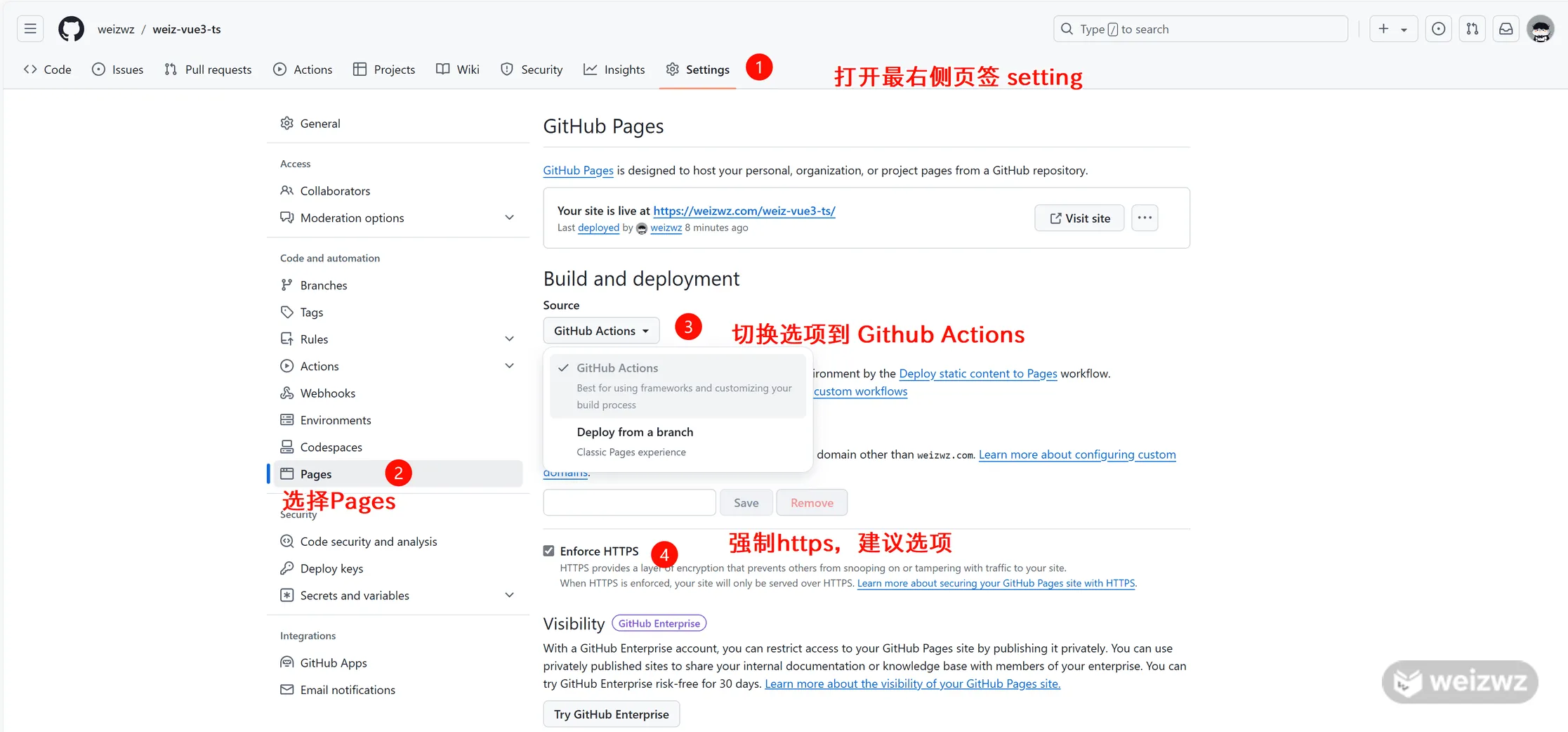
Create the workflow file
In the project root, create a .github folder. Inside it, create a workflows folder, then add a file named main.yml.
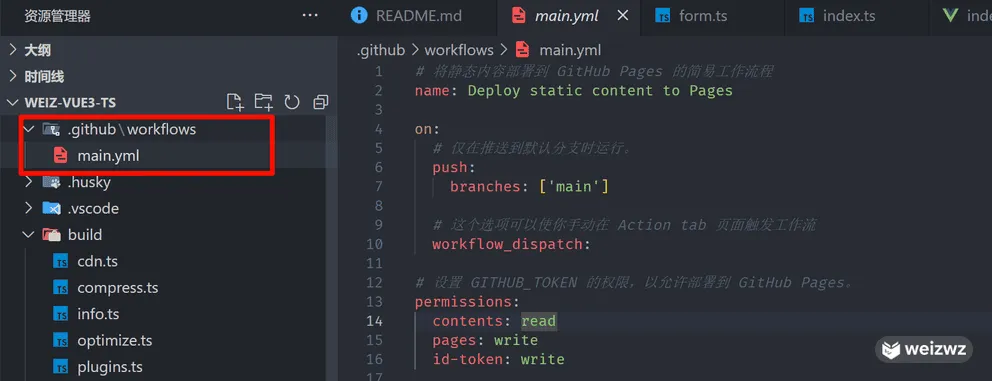
Use the following content in main.yml:
# 将静态内容部署到 GitHub Pages 的简易工作流程
name: Deploy static content to Pages

on:
  # 仅在推送到默认分支时运行。
  push:
    branches: ['main']

  # 这个选项可以使你手动在 Action tab 页面触发工作流
  workflow_dispatch:

# 设置 GITHUB_TOKEN 的权限,以允许部署到 GitHub Pages。
permissions:
  contents: read
  pages: write
  id-token: write

# 允许一个并发的部署
concurrency:
  group: 'pages'
  cancel-in-progress: true

jobs:
  # 单次部署的工作描述
  deploy:
    environment:
      name: github-pages
      url: ${{ steps.deployment.outputs.page_url }}
    runs-on: ubuntu-latest
    steps:
      - name: Checkout
        uses: actions/checkout@v3
      - name: Set up Node
        uses: actions/setup-node@v3
        with:
          node-version: 20
          cache: 'npm'
      - name: Install dependencies
        run: npm install
      - name: Build
        run: npm run build
      - name: Setup Pages
        uses: actions/configure-pages@v3
      - name: Upload artifact
        uses: actions/upload-pages-artifact@v1
        with:
          # Upload dist repository
          path: './dist'
      - name: Deploy to GitHub Pages
        id: deployment
        uses: actions/deploy-pages@v1
There are three parts you may need to adjust:
- Node version: set it to the version your project actually uses.
- Build output directory: in most Vue projects this is
dist, but if your output folder is different, update thepathvalue. - Package manager commands: the example above uses npm. If your project uses pnpm or another tool, change the install and build steps accordingly.
For a pnpm-based project, the setup can look like this:
steps:
  - name: Checkout
    uses: actions/checkout@v4
  - name: Set up pnpm
    uses: pnpm/action-setup@v4
    with:
      version: 9
  - name: Set up Node
    uses: actions/setup-node@v3
    with:
      node-version: 20
      cache: 'pnpm'
  - name: Install dependencies
    run: pnpm install
  - name: Build
    run: pnpm run build
The pnpm version should also match the one used in your own project. Everything after that remains the same.
Set the correct deployment base path
You also need to make sure the project is built with the right public base path for GitHub Pages. Where to change it depends on your setup:
vite.config.tsvue.config.jswebpack.config.js
For a Vite project, this is usually controlled by the base field.
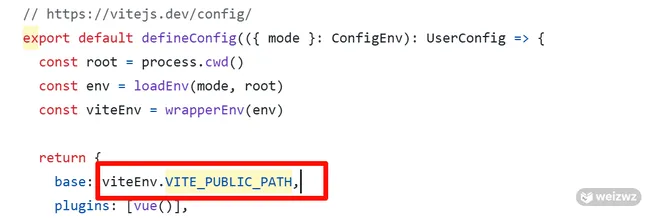
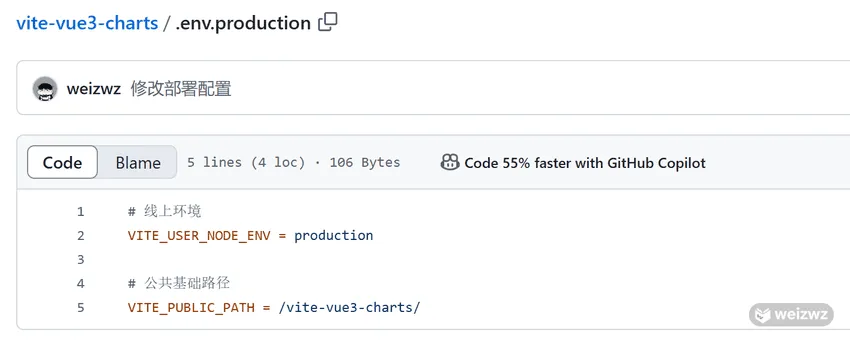
If your config wraps this value in a variable, that variable is often defined in .env.production at the project root. In that case, change the variable value there instead.
Push the code to trigger deployment
Once the workflow file and base path are set, commit and push your changes. GitHub Actions will build and deploy the project automatically.
If needed, you can also trigger the workflow manually from the repository's Actions tab.
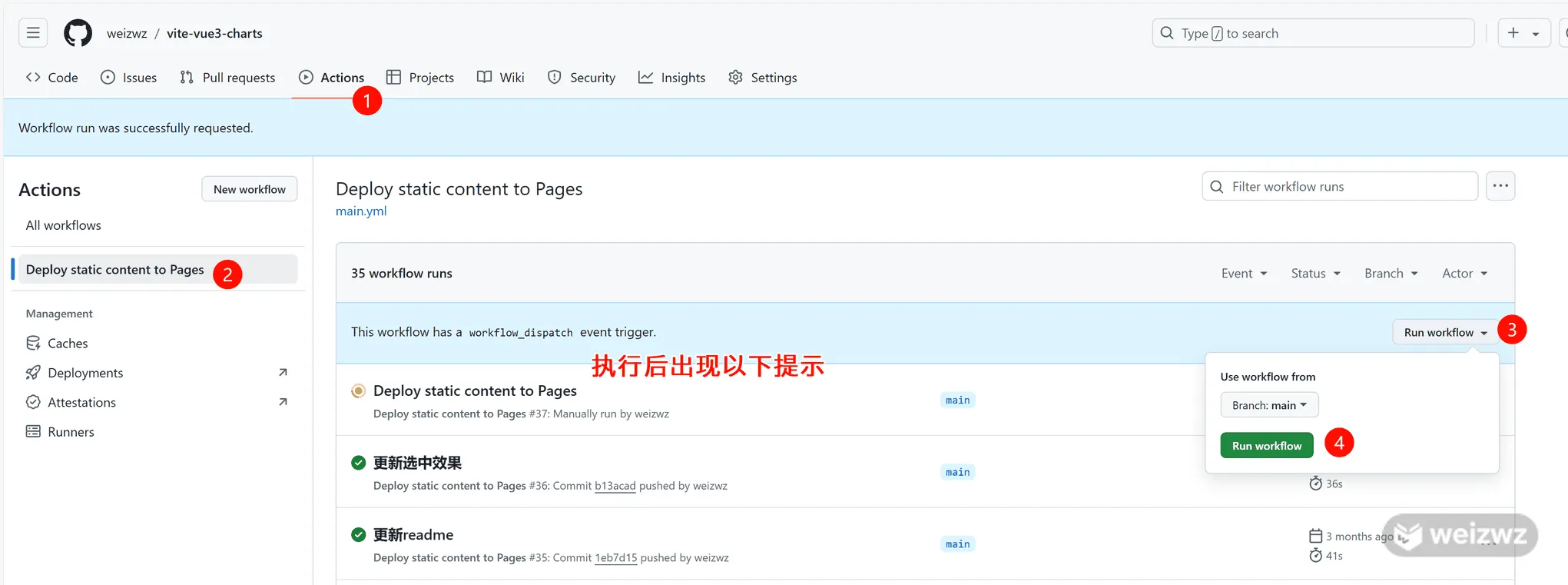
Access URL after deployment
After deployment finishes, the site is typically available at:
[your-github-username].github.io/[repository-name]
Example:
https://weizwz.github.io/vite-vue3-charts
As long as the workflow, output directory, package manager commands, and base path are all aligned with your project, a Vue app can be published to GitHub Pages without much extra setup.