Getting More from a Dormitory Network with OpenWrt Multi-WAN
For a computer science student, a reliable network connection matters. After moving to the new campus in my second year, I found that the dormitory network worked differently from the one I had used previously, so I decided to experiment with it again in search of better performance.
How the dormitory network is set up
At the Zhiyuan dormitories of Wuhan University of Technology, each room has a separate Wi-Fi 5 access point mounted near the ceiling. In addition, each of the six residents has access to a gigabit RJ45 port.
Both the wireless and wired connections use the university network, which costs ¥20 per month. Initial speed tests showed an obvious traffic policy: the download speed could briefly reach 300 Mbps, but soon settled at 40 Mbps. The nominal limit was 40 Mbps downstream and 100 Mbps upstream.
The more interesting detail was that two devices could connect to the campus network and run speed tests at the same time, with both reaching the full limit. This indicated that the restriction was applied per device rather than per student account. Testing also showed that a single campus account could be logged in on up to three devices. Once a fourth device connected, one of the existing sessions would be forced offline.
That behavior made multiple connections over a single physical line a practical option.
Configuring OpenWrt
As in the previous semester, OpenWrt's multi-WAN function can be used to combine several virtual WAN connections over the same dormitory uplink.
The basic setup is to create three virtual WAN interfaces and configure each one as a DHCP client. Once every interface receives an IP address, the network-side configuration is complete.
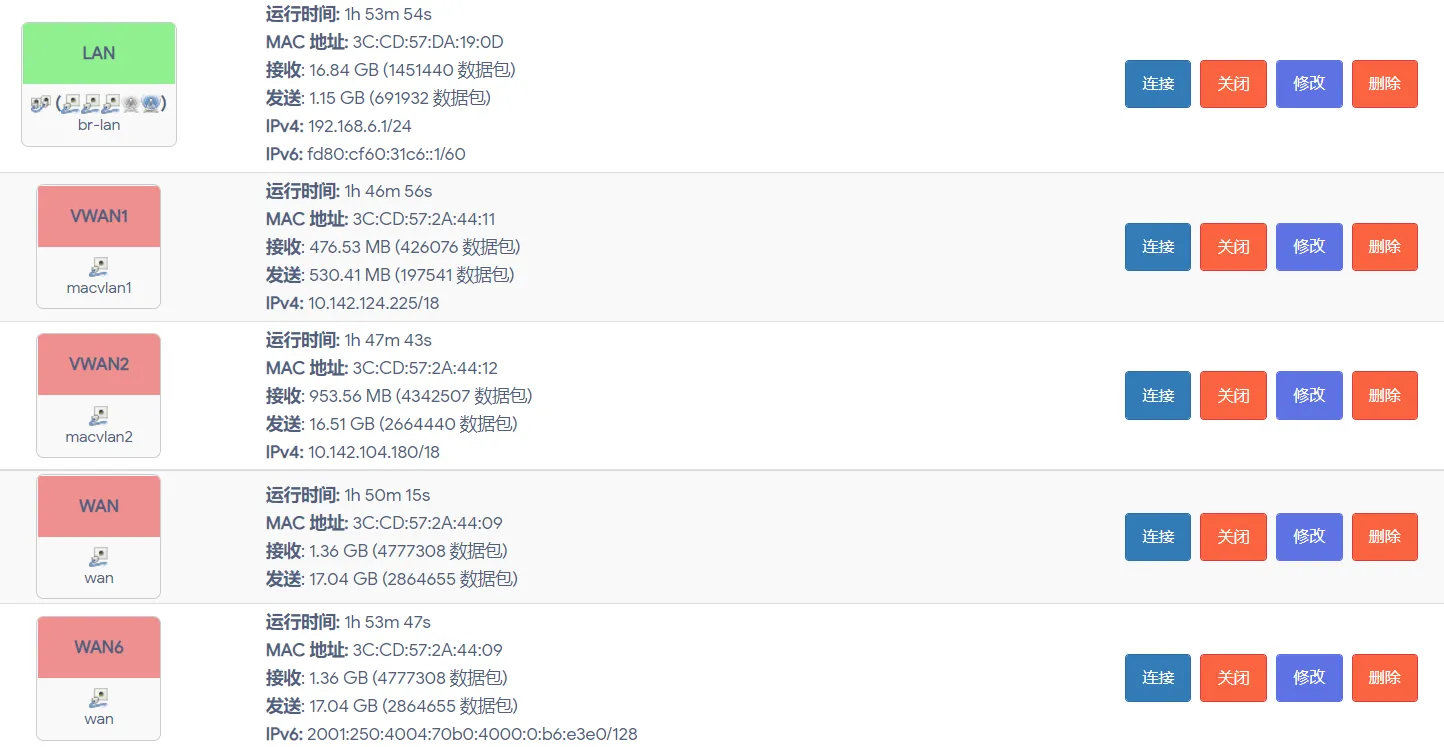
For stability and convenience, I ultimately enabled only two virtual WAN interfaces in my own setup.
The remaining issue is campus-network authentication. My solution was fairly direct: disable the other interfaces and log in to each account session separately from a computer. First, interfaces 2 and 3 are disabled, and the login page is used to authenticate interface 1. Then interfaces 1 and 3 are disabled while interface 2 is logged in. Finally, interfaces 1 and 2 are disabled to authenticate interface 3. After all three sessions have been established, the interfaces can be enabled again.
Test results
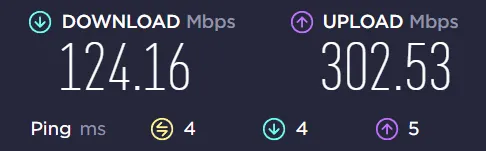
A Speedtest showed that the throughput was almost exactly tripled: 120 Mbps downstream and 300 Mbps upstream. That was already sufficient for my needs. The result also appeared slightly better than the previous semester, possibly because this dormitory connection used a gigabit Ethernet port.
There is an important limitation, however. The bandwidth does not always combine as expected. A single-threaded download cannot make use of the aggregated connections, which is understandable. More strangely, multi-threaded downloads sometimes take advantage of the combined bandwidth and sometimes do not. I have not yet determined exactly what causes that difference, so the behavior remains an unresolved part of the setup.