Tianruo OCR for Windows: Capture Any Screen Text and Copy It Instantly
In everyday office work, one annoyance comes up again and again: text is right there on the screen, but you still can’t edit it.
Typical situations include:
- articles on sites like Baidu Wenku, Doc88, or Douding that won’t let you copy and paste
- text inside PDF files that turns into a formatting mess after pasting
- scanned documents that someone expects you to retype into Word by hand
When the amount of text isn’t huge, the ideal solution is something as quick as taking a screenshot in QQ: drag a box over the area you want, and the text is recognized immediately. That’s exactly where Tianruo OCR becomes incredibly useful.
Tianruo OCR is a practical OCR screenshot tool for Windows, and it’s completely free. Its biggest advantage is how directly it works: you capture a portion of the screen, the software recognizes the text in that image, and then you can copy, paste, edit, or even translate the result without extra steps.
How it works
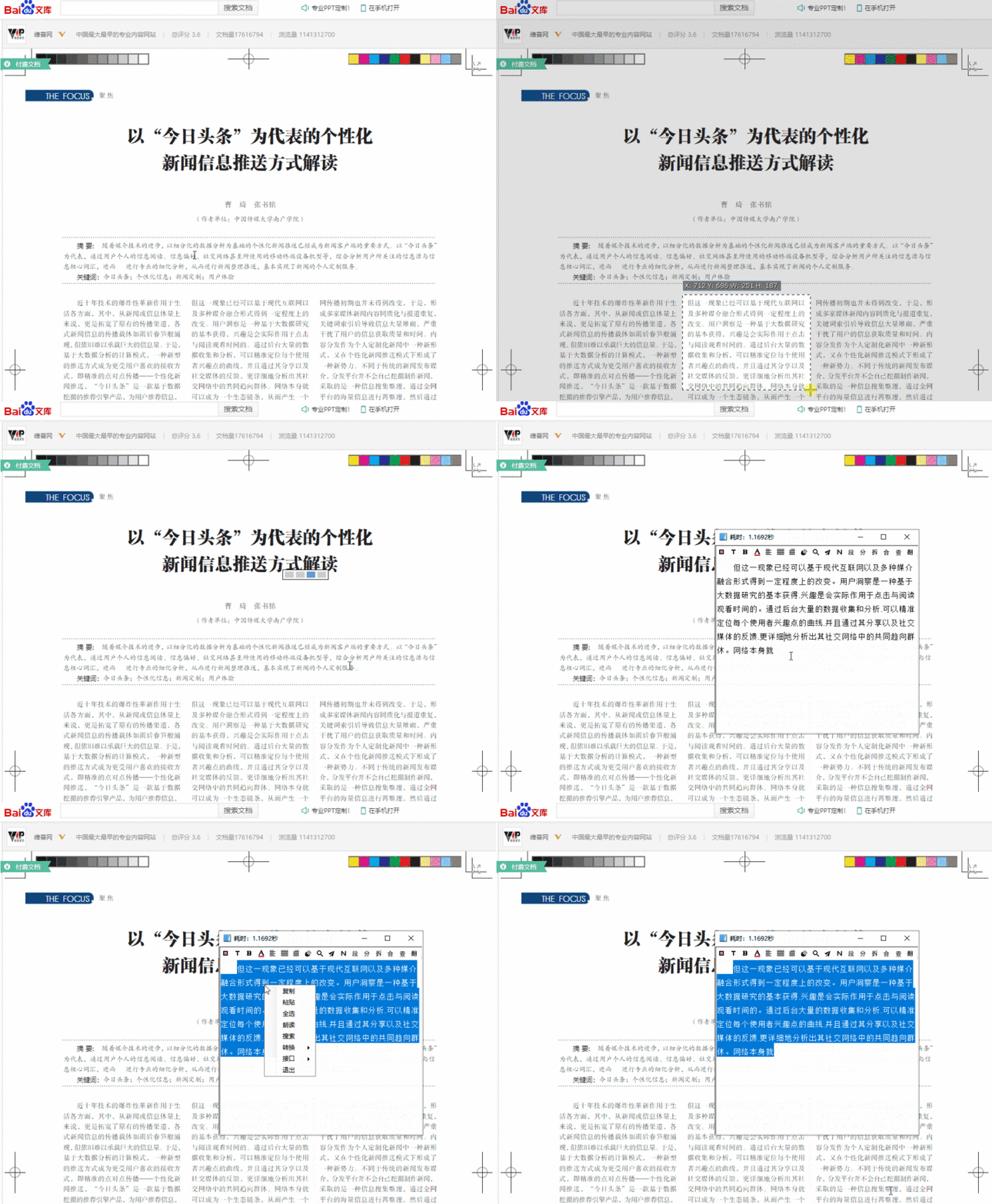
1. Press F4 to capture the area
After pressing F4, you select the part of the screen you want to recognize. The software processes it automatically, and once the text appears, you can edit it right away. Basic actions such as making text bold, changing text color, and copying the recognized content are all supported.
2. It can also translate recognized text
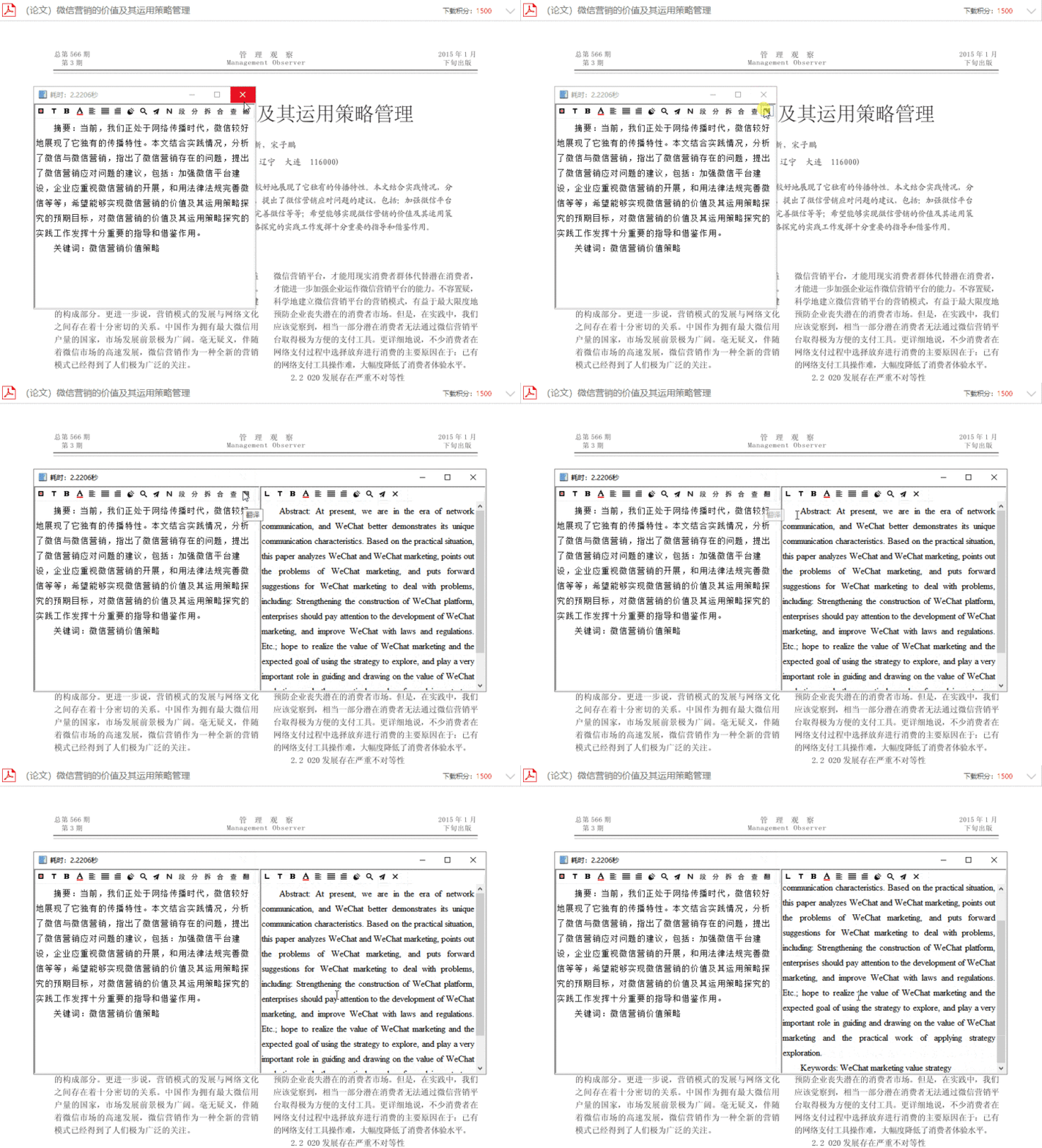
One of its most impressive features is built-in translation support. If you enable a Baidu Translate API key, the recognized text can be translated directly inside the tool.
If you often need to pull text out of images or from parts of the screen where copying is disabled, this kind of tool saves a lot of time. It’s especially handy for grabbing a paragraph from a scanned PDF or any on-screen text that would otherwise need to be typed manually. For one-click screenshot OCR, Tianruo OCR is exceptionally convenient.