How to Build an OpenLDAP Master-Slave Cluster for Production on CentOS 7
Background
Many organizations rely on centralized identity authentication and authorization to manage both users and systems consistently. LDAP (Lightweight Directory Access Protocol) is commonly used for this purpose because it provides a unified directory service for authentication and access control.
In a production environment, though, a single OpenLDAP instance is usually not enough. To improve availability and support stable directory services, a master-slave OpenLDAP deployment is often used so that authentication data can be replicated reliably between nodes.
Environment
Before starting the deployment, prepare the following setup:
- Operating system: CentOS 7
- OpenLDAP version:
OpenLDAP: slapd 2.4.44 - Server count: 2 servers total
- 1 master
- 1 slave
- Network: both servers should be on the same LAN with stable connectivity
Master node installation
Set up the master node first.
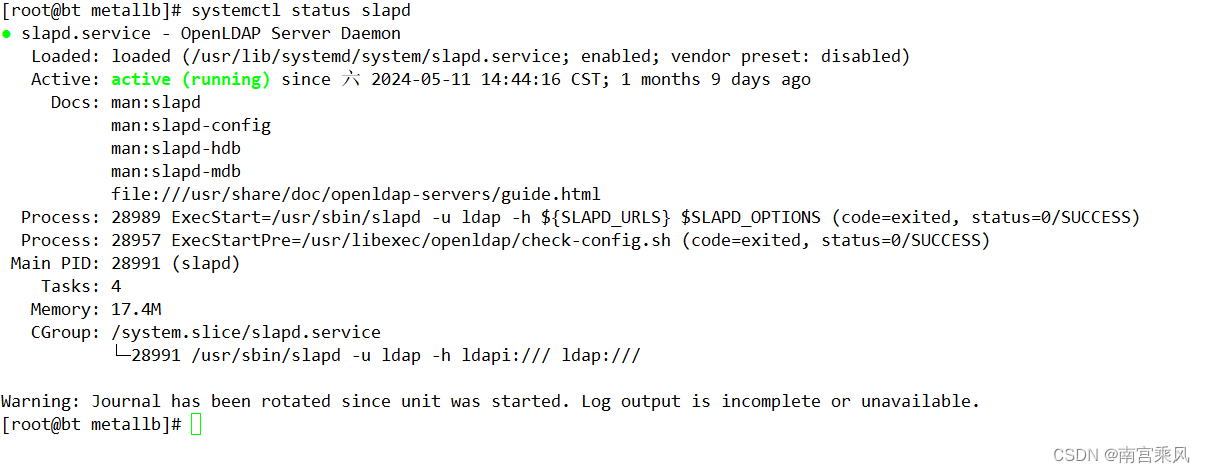
The base installation can follow the referenced process shown below:
https://blog.csdn.net/heian_99/article/details/138963912
Slave node installation
Assume the master node IP address is 192.168.102.20.
For the master, complete the full installation and configuration. For the slave, perform the same OpenLDAP installation steps, but stop after applying the ldapdomain.ldif file. In other words, the administrator account needs to be created, but organizational units or user entries do not need to be added manually on the slave. phpLDAPadmin can also be installed on the slave if needed.
Configure replication on the master
The master needs to load the sync provider module and enable the replication overlay.
Create syncprov_mod.ldif:
cat > syncprov_mod.ldif << "EOF"
dn: cn=module,cn=config
objectClass: olcModuleList
cn: module
olcModulePath: /usr/lib64/openldap
olcModuleLoad: syncprov.la
EOF
Run:
ldapadd -Y EXTERNAL -H ldapi:/// -f syncprov_mod.ldif
Create syncprov.ldif:
cat > syncprov.ldif << "EOF"
dn: olcOverlay=syncprov,olcDatabase={2}hdb,cn=config
objectClass: olcOverlayConfig
objectClass: olcSyncProvConfig
olcOverlay: syncprov
olcSpCheckpoint: 1 1
olcSpSessionLog: 1024
EOF
Run:
ldapadd -Y EXTERNAL -H ldapi:/// -f syncprov.ldif
Configure the slave node
Set up the slave so it pulls data from the master.
Create rp.ldif:
cat > rp.ldif << "EOF"
dn: olcDatabase={2}hdb,cn=config
changetype: modify
add: olcSyncRepl
olcSyncRepl: rid=001 provider=ldap://192.168.102.20:389 bindmethod=simple binddn="cn=Manager,dc=fujfu,dc=com" credentials=examplePassword searchbase="dc=fujfu,dc=com" scope=sub schemachecking=on type=refreshAndPersist retry="30 5 300 3" attrs="*,+" interval=00:00:02:00
EOF
Here, provider is the master address. The other values are standard replication parameters. One important detail is the bind account: it must be the super administrator account. If a normal user is used to connect to the master, the slave will not be able to synchronize user password fields properly. The credentials value is the administrator password.
Run:
ldapmodify -Y EXTERNAL -H ldapi:/// -f rp.ldif
To improve query performance, add indexes for commonly used attributes.
Create index.ldif:
cat > index.ldif << "EOF"
dn: olcDatabase={2}hdb,cn=config
changetype: modify
add: olcDbIndex
olcDbIndex: uid eq,pres
olcDbIndex: uniqueMember eq,pres
olcDbIndex: uidNumber,gidNumber eq,pres
olcDbIndex: member,memberUid eq,pres
olcDbIndex: entryUUID eq
olcDbIndex: entryCSN eq
EOF
Run:
ldapadd -Y EXTERNAL -H ldapi:/// -f index.ldif
Verify that replication is working
After the slave is configured, there is no need to restart slapd on either the master or the slave.
On the slave, check the OpenLDAP logs:
journalctl -u slapd -n 100 -f
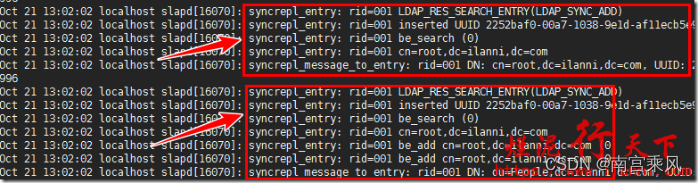
If the configuration is correct, the slave slapd service should show no errors, and the logs should indicate that LDAP data is being synchronized.
Then switch to the master and inspect its logs as well:
journalctl -u slapd -n 100 -f
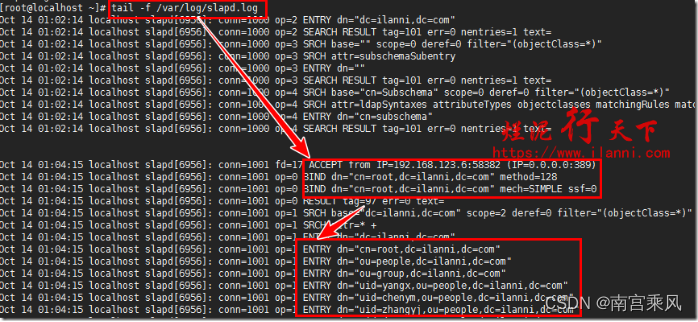
The master should also be error-free, and the logs should show that the slave is syncing successfully.
You can also log in to the slave with phpLDAPadmin and check whether the directory entries are visible there:
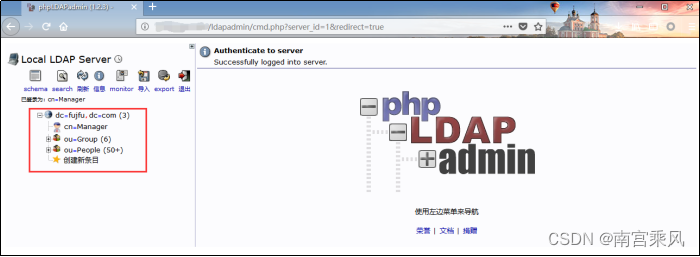
If account information is already present on the slave, that confirms the OpenLDAP master-slave replication is functioning normally.
Basic tests
Two simple checks can confirm the setup:
- Modify a user attribute on the master node and confirm the updated data appears on the slave.
- Try modifying a user attribute on the slave node. The operation should fail because in this master-slave model, the slave is read-only.
If both checks behave as expected, the replication setup is working correctly.
Useful LDAP query commands
ldapsearch -Q -LLL -Y EXTERNAL -H ldapi:/// -b cn\=config
ldapsearch -x cn\=test -b dc\=local,dc\=cn